> ## Documentation Index
> Fetch the complete documentation index at: https://docs.kai-yan.com/llms.txt
> Use this file to discover all available pages before exploring further.
# Script Editor
> Understand the canvas, node library, field panel, and visibility colors.
## Three areas
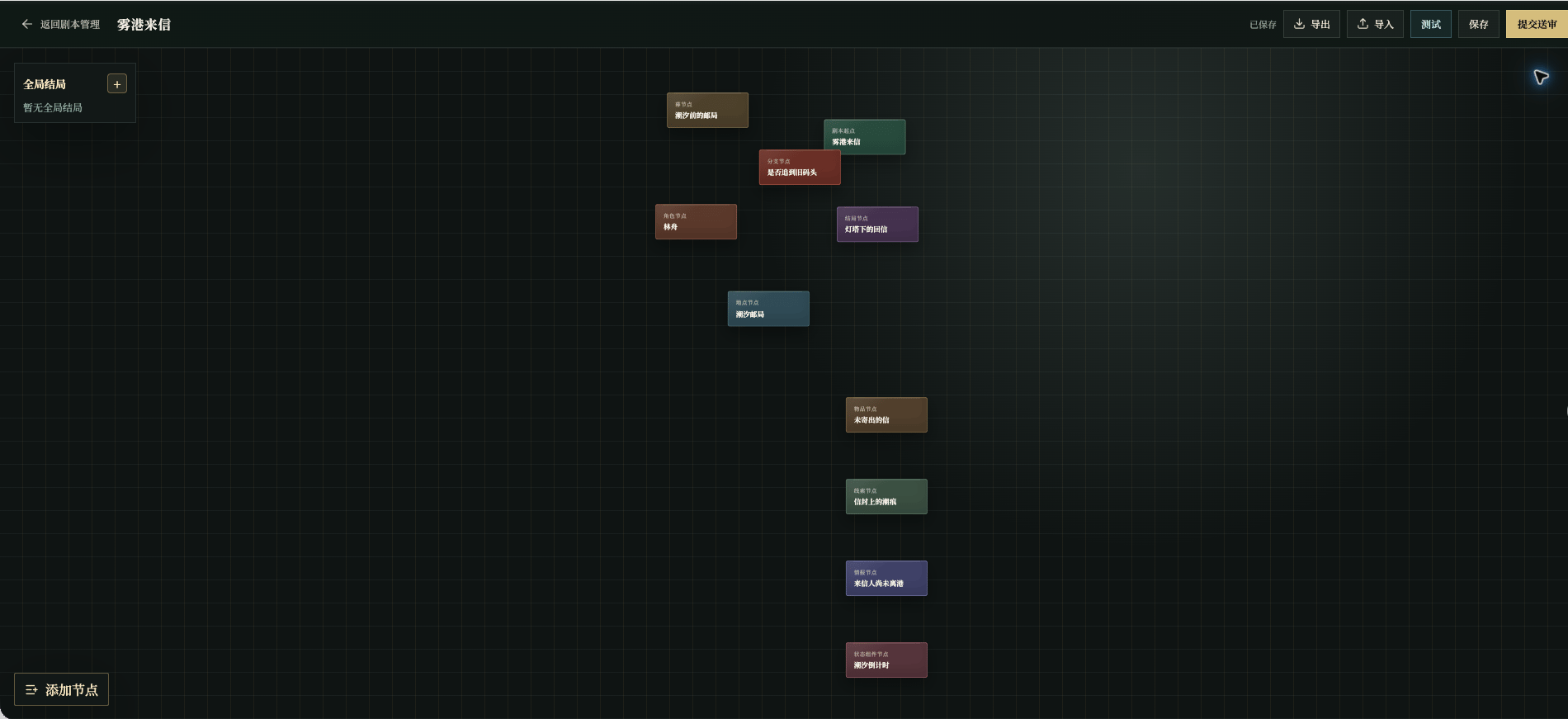
* **Canvas** holds nodes and connections.
* **Node Library** opens from **Add Node** and contains the story components.
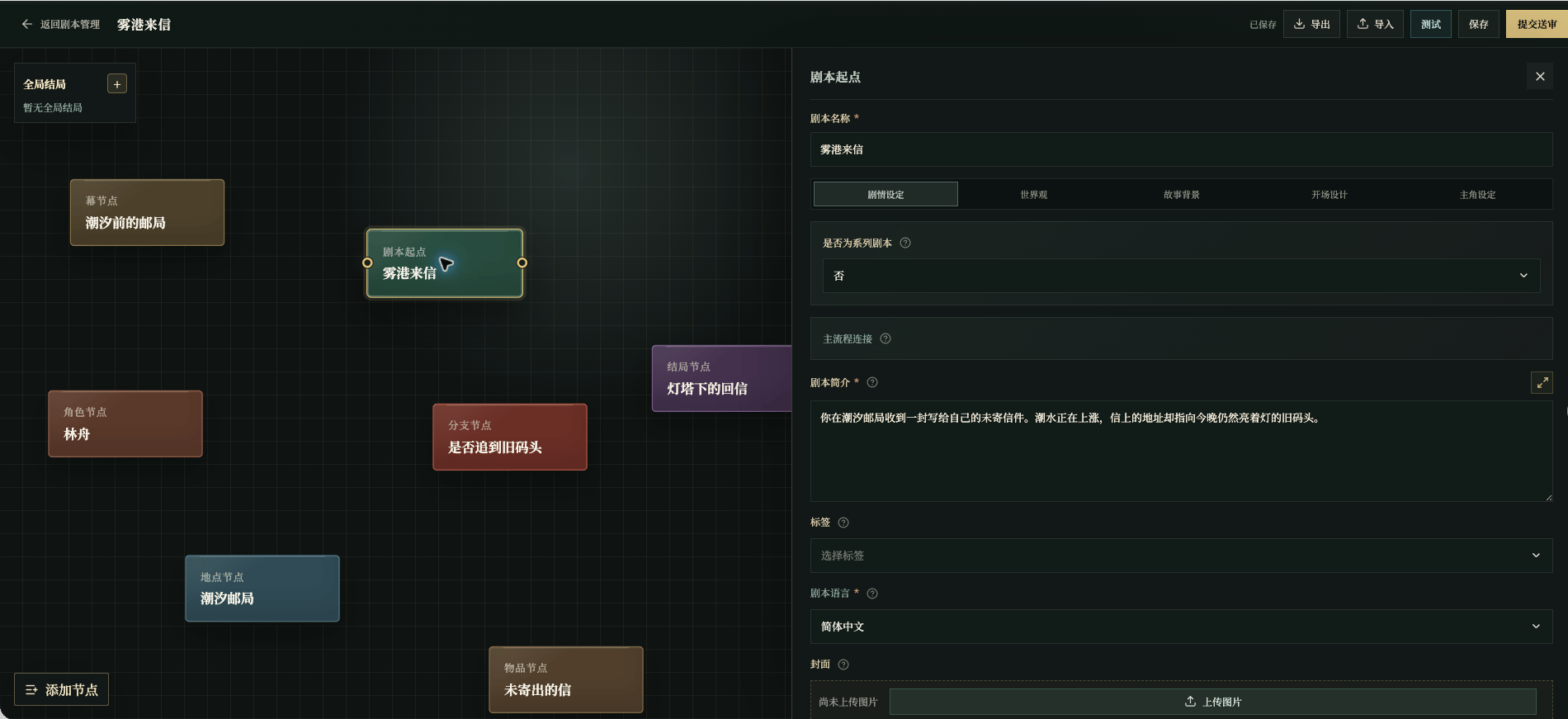
* **Field Panel** opens when you select a node and contains its content and relationships.
The top actions have different jobs: **Test**, **Save**, and **Submit for Review** are workflow actions; import and export are for moving editor content.
## The running example
All node examples in this guide belong to the invented script **Letter from Mist Harbor**: Shen Yao receives an undelivered letter at the Tidebound Post Office. Lin Zhou, the night clerk, knows part of the story. The salt mark is a clue; “the sender has not left the harbor” is intelligence; the tide timer creates pressure.
 ## Visibility colors
Canvas card colors identify node types. The field label color carries the visibility cue:
| Color | Meaning | Ask yourself |
| ----------------- | ---------------------- | ------------------------------------------------------------- |
| Gold or yellow | Player-visible content | When will the player see this sentence, image, or hint? |
| Blue or blue-gray | Background rule | What relationship, condition, or progression does this limit? |
The current page uses text color as the cue; a permanent badge is not guaranteed beside every field. A gold field is not necessarily shown every turn, and a background rule can still change what the player experiences.
For example, **Salt mark on the envelope** is visible evidence and belongs in the clue content. **Allow the old-pier route only after the clue is found** is a background rule.
## Visibility colors
Canvas card colors identify node types. The field label color carries the visibility cue:
| Color | Meaning | Ask yourself |
| ----------------- | ---------------------- | ------------------------------------------------------------- |
| Gold or yellow | Player-visible content | When will the player see this sentence, image, or hint? |
| Blue or blue-gray | Background rule | What relationship, condition, or progression does this limit? |
The current page uses text color as the cue; a permanent badge is not guaranteed beside every field. A gold field is not necessarily shown every turn, and a background rule can still change what the player experiences.
For example, **Salt mark on the envelope** is visible evidence and belongs in the clue content. **Allow the old-pier route only after the clue is found** is a background rule.
 ## A useful editing order
Select the correct node, fill required fields, decide whether each sentence is for the player or for story control, bind relationships, and save before moving on. After writing, check the player-facing page rather than judging the canvas alone.
Continue with [Script Entry](/en/create/editor/start), then open only the component pages your story needs.
## A useful editing order
Select the correct node, fill required fields, decide whether each sentence is for the player or for story control, bind relationships, and save before moving on. After writing, check the player-facing page rather than judging the canvas alone.
Continue with [Script Entry](/en/create/editor/start), then open only the component pages your story needs.