> ## Documentation Index
> Fetch the complete documentation index at: https://docs.kai-yan.com/llms.txt
> Use this file to discover all available pages before exploring further.
# Ending
> Define the final result, its presentation, and when it becomes true.
## What it controls
An ending is the story’s landing point. It can be reached through the main route or checked globally when its facts become true.
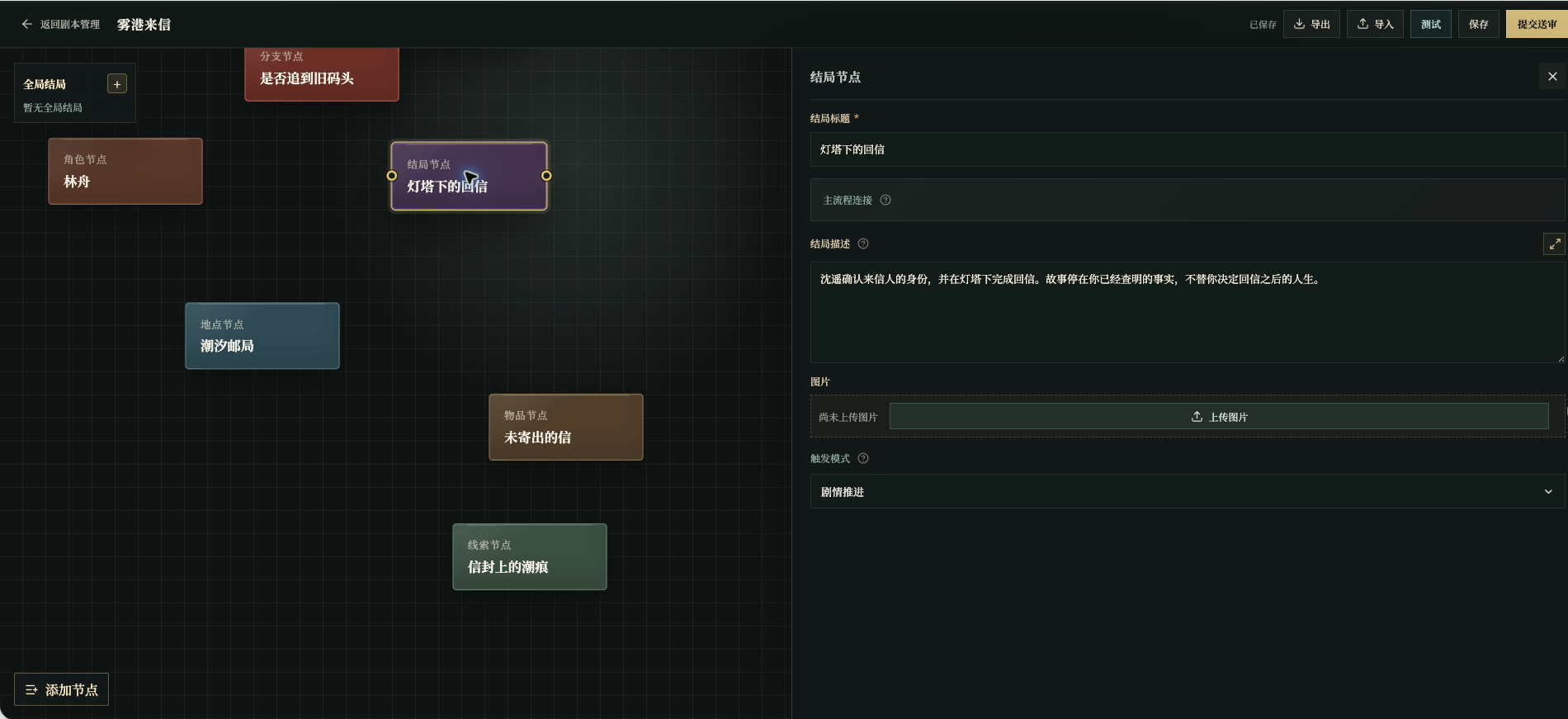
The example ending is **Reply Under the Lighthouse**: the player confirms the sender’s identity and places a reply in the old mailbox.
 ## Player-facing content
| Field | What to write | Example | Player sees it where |
| ------------------ | ------------------------- | --------------------------------------------------------------------------------------------------------------------- | ------------------------------------------------- |
| Ending title | A clear final result | `Reply Under the Lighthouse` | Ending screen title |
| Ending description | A short, grounded closing | `You place the reply in the old mailbox beneath the lighthouse. When the tide falls, the salt mark no longer shines.` | Opening text on the ending screen and ending card |
| Image | A memorable final image | `Lighthouse after the tide falls` | Ending card |
## Trigger settings
| Field | What to write | Example | Player sees the result |
| ----------------- | ------------------------------- | ---------------------------------------------------------------------------------- | ----------------------------------- |
| Trigger mode | Main route or global check | `Story progression` | The setting itself is hidden |
| Trigger condition | Facts that make the ending true | `The player confirms the sender’s identity and puts the reply in the old mailbox.` | The ending screen appears when true |
| Global priority | Which ending is checked first | `10` | The number is hidden |
Use **Story Progression** when the ending is connected from the final act. Use a global check only when the ending can become true from several places. Do not end a story with “the player did well”; name the facts that can be checked.
## Check it
The title, description, and image should describe the same result. Connect a progression ending to the main route, test the trigger, and make sure the ending does not introduce an unprepared person or conflict.
## Player-facing content
| Field | What to write | Example | Player sees it where |
| ------------------ | ------------------------- | --------------------------------------------------------------------------------------------------------------------- | ------------------------------------------------- |
| Ending title | A clear final result | `Reply Under the Lighthouse` | Ending screen title |
| Ending description | A short, grounded closing | `You place the reply in the old mailbox beneath the lighthouse. When the tide falls, the salt mark no longer shines.` | Opening text on the ending screen and ending card |
| Image | A memorable final image | `Lighthouse after the tide falls` | Ending card |
## Trigger settings
| Field | What to write | Example | Player sees the result |
| ----------------- | ------------------------------- | ---------------------------------------------------------------------------------- | ----------------------------------- |
| Trigger mode | Main route or global check | `Story progression` | The setting itself is hidden |
| Trigger condition | Facts that make the ending true | `The player confirms the sender’s identity and puts the reply in the old mailbox.` | The ending screen appears when true |
| Global priority | Which ending is checked first | `10` | The number is hidden |
Use **Story Progression** when the ending is connected from the final act. Use a global check only when the ending can become true from several places. Do not end a story with “the player did well”; name the facts that can be checked.
## Check it
The title, description, and image should describe the same result. Connect a progression ending to the main route, test the trigger, and make sure the ending does not introduce an unprepared person or conflict.