> ## Documentation Index
> Fetch the complete documentation index at: https://docs.kai-yan.com/llms.txt
> Use this file to discover all available pages before exploring further.
# Buy Coins
> Review recharge packages and coin amounts before purchasing.
## Review the packages
Open the action value page in your profile. The **Recharge Packages** area shows each package, price, and coin amount.
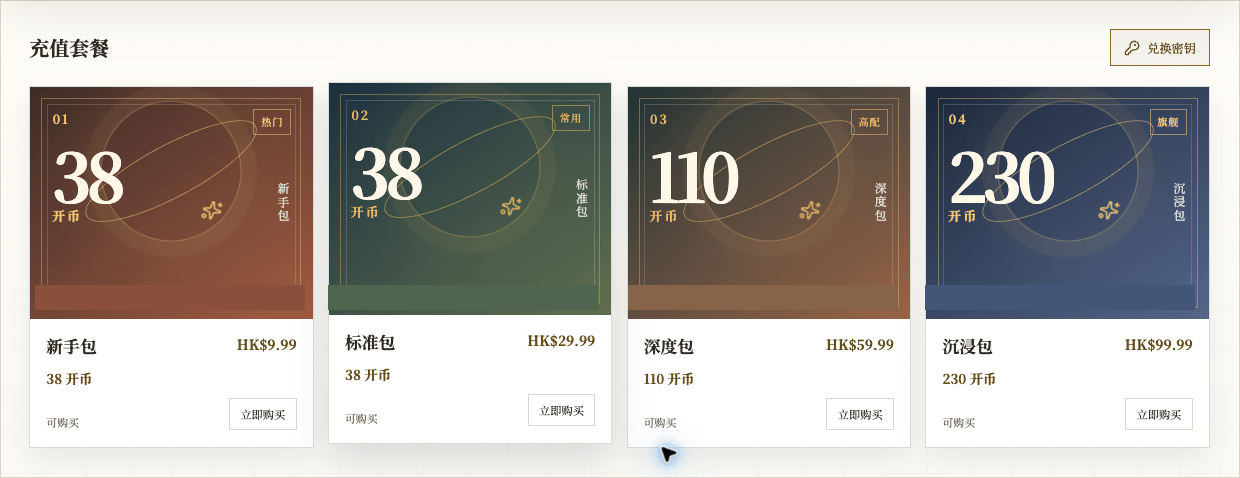 The amounts shown below were captured from a local development page. Always follow the current page:
| Package | Price | Coins |
| --------- | --------- | ----- |
| Starter | HK\$9.99 | 38 |
| Standard | HK\$29.99 | 38 |
| Deep Dive | HK\$59.99 | 110 |
| Immersion | HK\$99.99 | 230 |
## Choose a package
Check the package name, price, and coin amount, then select **Buy Now**. Coins are not the same as action value; the two balances remain separate.
The amounts shown below were captured from a local development page. Always follow the current page:
| Package | Price | Coins |
| --------- | --------- | ----- |
| Starter | HK\$9.99 | 38 |
| Standard | HK\$29.99 | 38 |
| Deep Dive | HK\$59.99 | 110 |
| Immersion | HK\$99.99 | 230 |
## Choose a package
Check the package name, price, and coin amount, then select **Buy Now**. Coins are not the same as action value; the two balances remain separate.
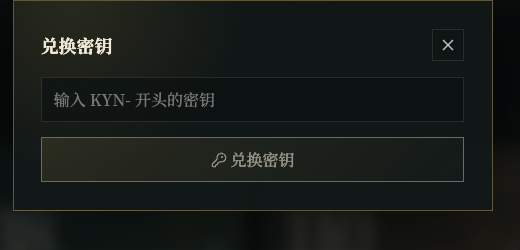 If you have an exchange key, select **Exchange Key** and enter it in the dialog. Never place a real key in a public screenshot, ticket, or message.
This page documents the entry point only. Current price, amount, payment, delivery, refund, and promotion results follow the page shown at the time of purchase.
If you have an exchange key, select **Exchange Key** and enter it in the dialog. Never place a real key in a public screenshot, ticket, or message.
This page documents the entry point only. Current price, amount, payment, delivery, refund, and promotion results follow the page shown at the time of purchase.