> ## Documentation Index
> Fetch the complete documentation index at: https://docs.kai-yan.com/llms.txt
> Use this file to discover all available pages before exploring further.
# Start Game
> Open a script from the catalog, read the background, and enter the story.
## 1. Find a script
Browse the home page or use the topic filters. You can also search by script title and select a card.
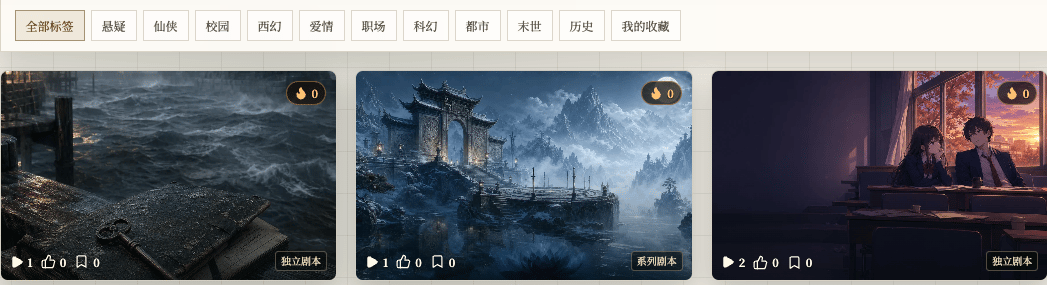 Look at the image, script type, play count, likes, favorites, creator, and publish time before opening the details.
## 2. Read the details
The details page shows the title, tags, summary, creator, interaction buttons, and two ways to enter:
* **Start New Game** begins from the beginning.
* **Load Save** continues an existing save.
Look at the image, script type, play count, likes, favorites, creator, and publish time before opening the details.
## 2. Read the details
The details page shows the title, tags, summary, creator, interaction buttons, and two ways to enter:
* **Start New Game** begins from the beginning.
* **Load Save** continues an existing save.
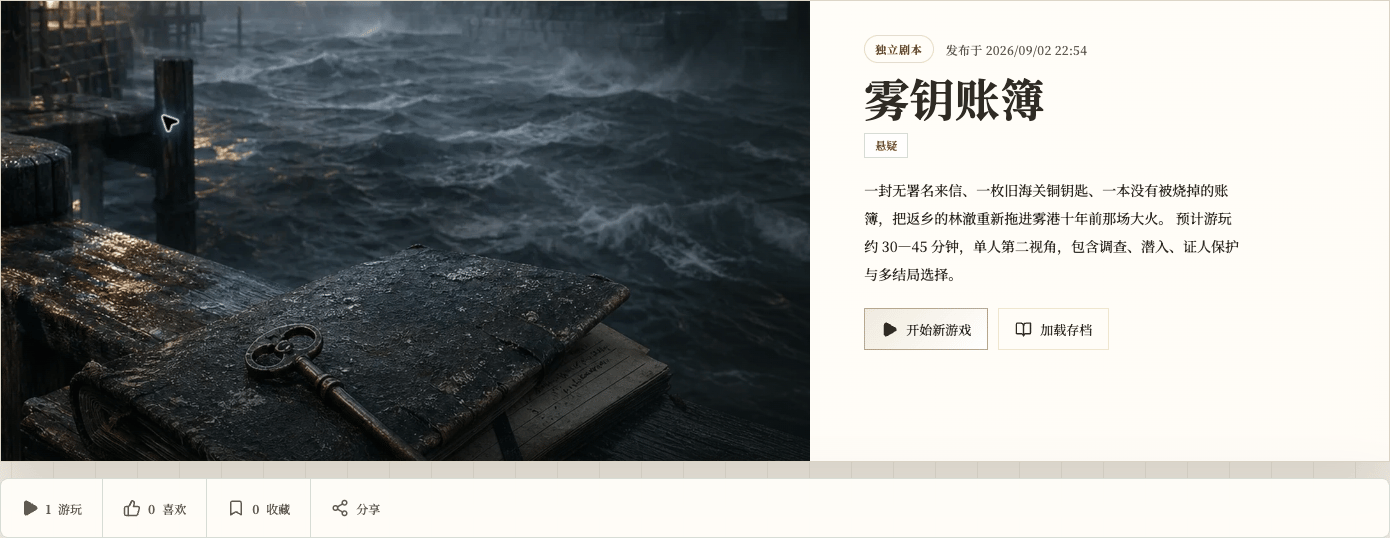 You can like or favorite the script here. Following the creator is separate from saving this script.
## 3. Read the story background
After you select **Start New Game**, the app shows the story background first.
You can like or favorite the script here. Following the creator is separate from saving this script.
## 3. Read the story background
After you select **Start New Game**, the app shows the story background first.
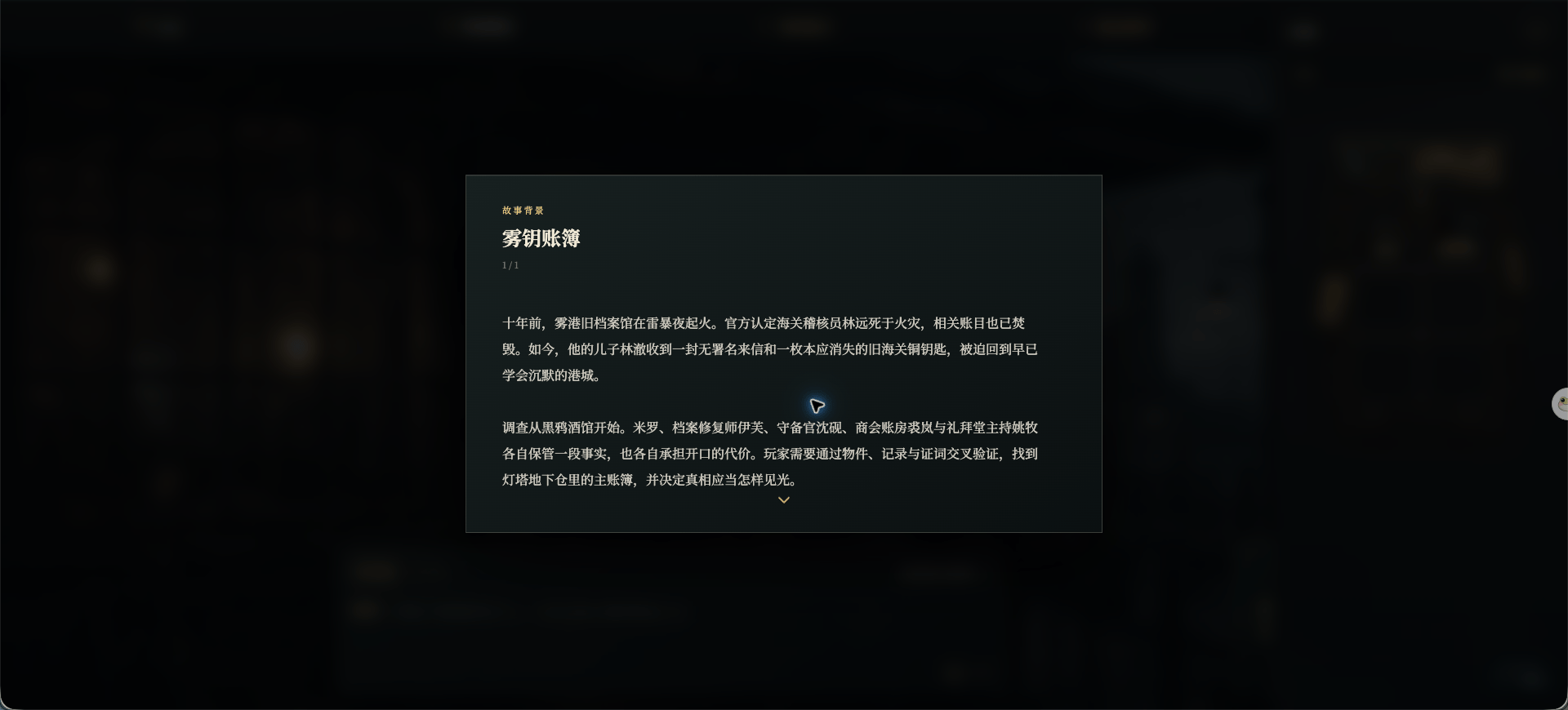 This page introduces the people, place, and immediate problem. It is reading material, not a form or a choice.
## 4. Enter the game
After the opening, the interaction page lets you write what your character says or does. You can also open **Recommended Actions**.
This page introduces the people, place, and immediate problem. It is reading material, not a form or a choice.
## 4. Enter the game
After the opening, the interaction page lets you write what your character says or does. You can also open **Recommended Actions**.
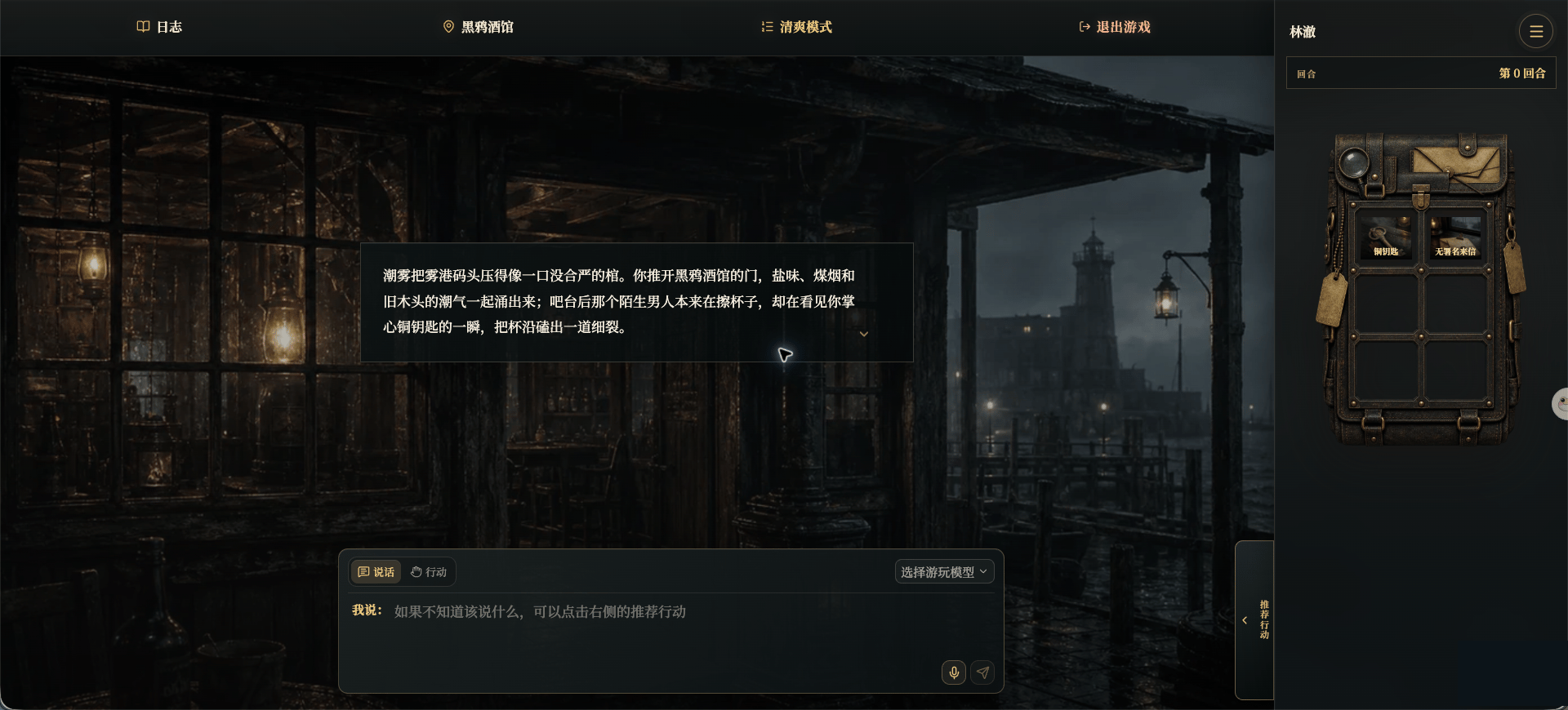 * The top bar opens logs, location, display mode, and exit options.
* The center shows the current story.
* The bottom input area sends speech or an action.
* The right side shows the current character, turn, inventory, and menu.
If you already started this story, return to its details and choose **Load Save**.
* The top bar opens logs, location, display mode, and exit options.
* The center shows the current story.
* The bottom input area sends speech or an action.
* The right side shows the current character, turn, inventory, and menu.
If you already started this story, return to its details and choose **Load Save**.