> ## Documentation Index
> Fetch the complete documentation index at: https://docs.kai-yan.com/llms.txt
> Use this file to discover all available pages before exploring further.

# 关注创作者

> 从剧本详情进入创作者主页，关注喜欢的创作者。

## 从剧本详情进入作者主页

打开任意剧本的详情页，点击作者名称，进入创作者主页。主页会显示创作者资料、粉丝数、关注数和已经发布的作品。

<Frame caption="创作者主页的关注入口">
  <img src="https://mintcdn.com/xunmee/KrVlVFGhu4wEu68R/images/player/creator-profile.png?fit=max&auto=format&n=KrVlVFGhu4wEu68R&q=85&s=528bf645307700f6e2582bad39abfac4" alt="创作者主页显示头像、创作者名称、粉丝数、关注数和关注按钮" width="1240" height="160" data-path="images/player/creator-profile.png" />
</Frame>

## 关注或取消关注

在创作者资料区域点击“关注”。按钮变成已关注状态后，之后可以从个人中心找到这个创作者。再次点击同一位置可以取消关注。

<Frame caption="关注后的状态">
  <img src="https://mintcdn.com/xunmee/KrVlVFGhu4wEu68R/images/player/creator-profile-followed.png?fit=max&auto=format&n=KrVlVFGhu4wEu68R&q=85&s=208d1c0b6ec766a97075de3d093d6bcf" alt="创作者主页显示关注操作完成后的状态" width="1240" height="160" data-path="images/player/creator-profile-followed.png" />
</Frame>

关注只记录创作者，不会自动收藏创作者发布的每个剧本。如果你只想保存某一个作品，请使用剧本卡片或详情页上的收藏。

## 在个人中心查看

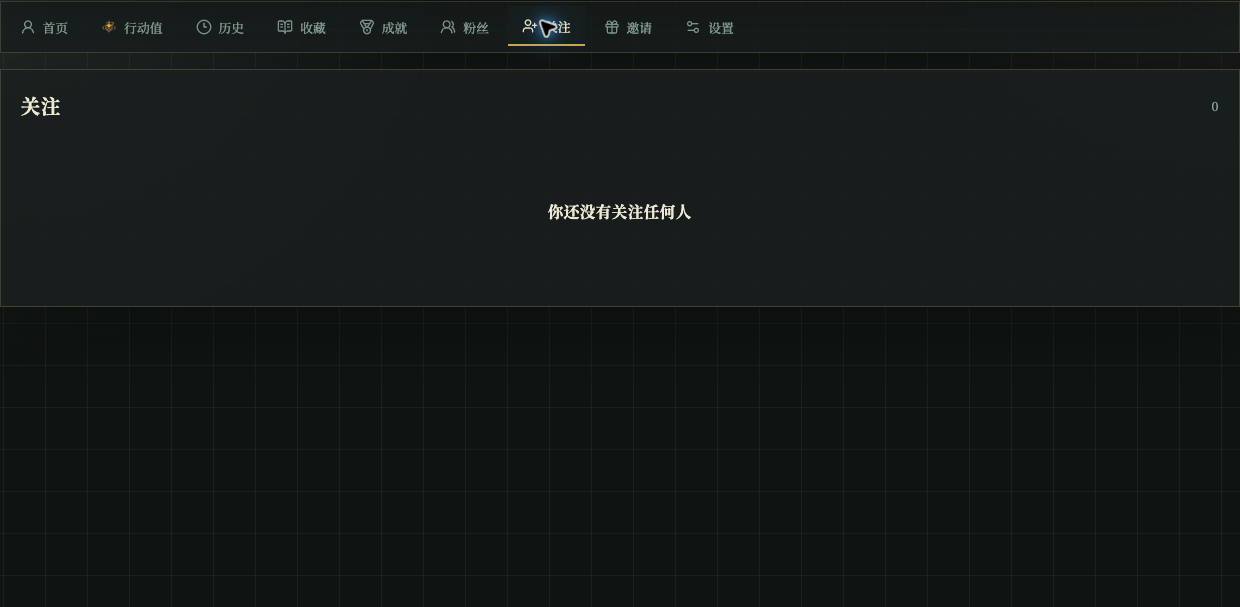
打开个人中心的“关注”，可以查看已经关注的创作者；需要取消关注时，也在这里操作。

<Frame caption="个人中心的关注列表">
  <img src="https://mintcdn.com/xunmee/KrVlVFGhu4wEu68R/images/player/profile-following.png?fit=max&auto=format&n=KrVlVFGhu4wEu68R&q=85&s=5fc7cb17baee5a46902edccf7fa3cc1c" alt="个人中心的关注页显示关注列表或空状态" width="1240" height="607" data-path="images/player/profile-following.png" />
</Frame>

如果关注页显示空状态，说明当前账号还没有关注任何人，不代表剧本目录出错。