> ## Documentation Index
> Fetch the complete documentation index at: https://docs.kai-yan.com/llms.txt
> Use this file to discover all available pages before exploring further.
# 点赞收藏
> 在剧本卡片或详情页留下喜欢和收藏记录。
## 在剧本卡片上操作
首页的每张剧本卡片底部都有喜欢和收藏图标。看到感兴趣的剧本后,点击对应图标即可。
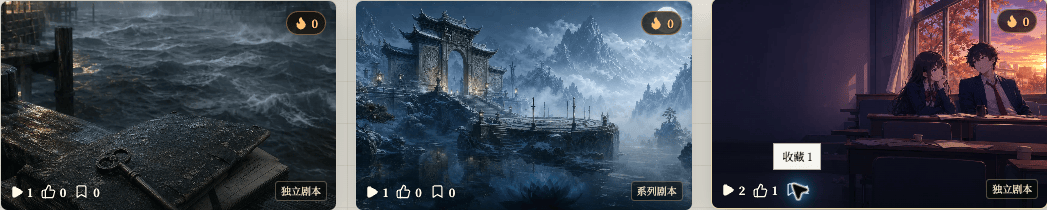 图标旁的数字表示当前数量。喜欢和收藏是两个独立的操作:再次点击已经点亮的图标,可以取消对应记录。
## 也可以从详情页操作
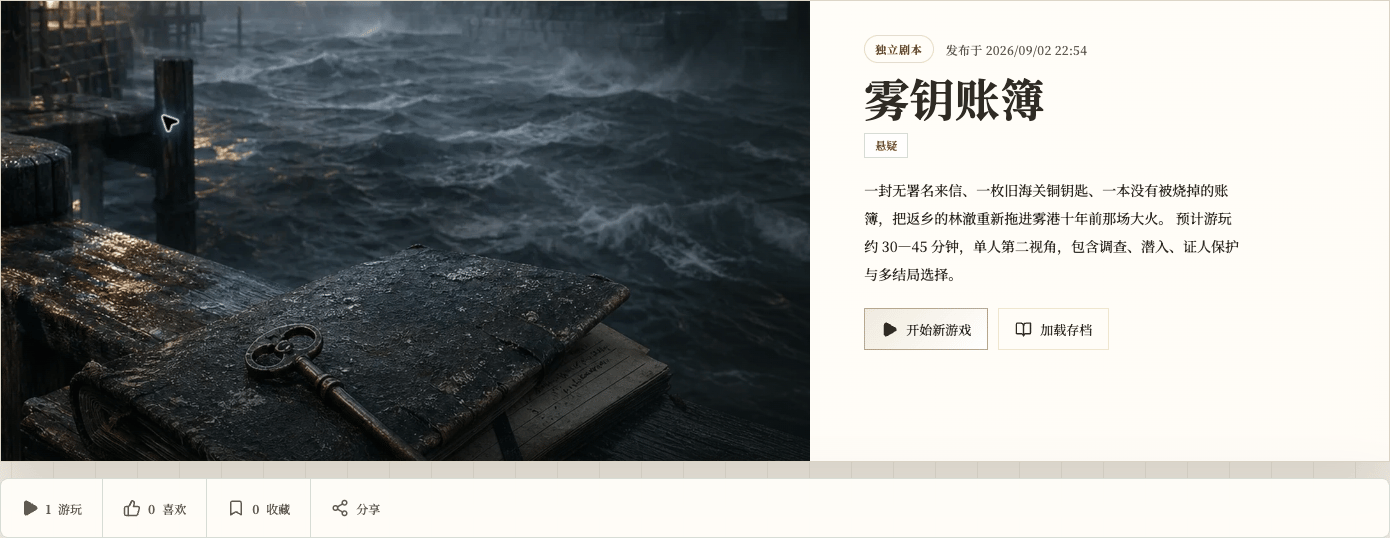
打开剧本详情页后,页面下方同样有“喜欢”和“收藏”。这两个入口和卡片上的操作对应同一份记录,从任意位置操作都可以。
图标旁的数字表示当前数量。喜欢和收藏是两个独立的操作:再次点击已经点亮的图标,可以取消对应记录。
## 也可以从详情页操作
打开剧本详情页后,页面下方同样有“喜欢”和“收藏”。这两个入口和卡片上的操作对应同一份记录,从任意位置操作都可以。
 ## 从个人中心找回
打开个人中心的“收藏”,可以再次找到收藏过的剧本。这里是找回作品的入口,不是按点赞数量排序的排行榜。
## 从个人中心找回
打开个人中心的“收藏”,可以再次找到收藏过的剧本。这里是找回作品的入口,不是按点赞数量排序的排行榜。
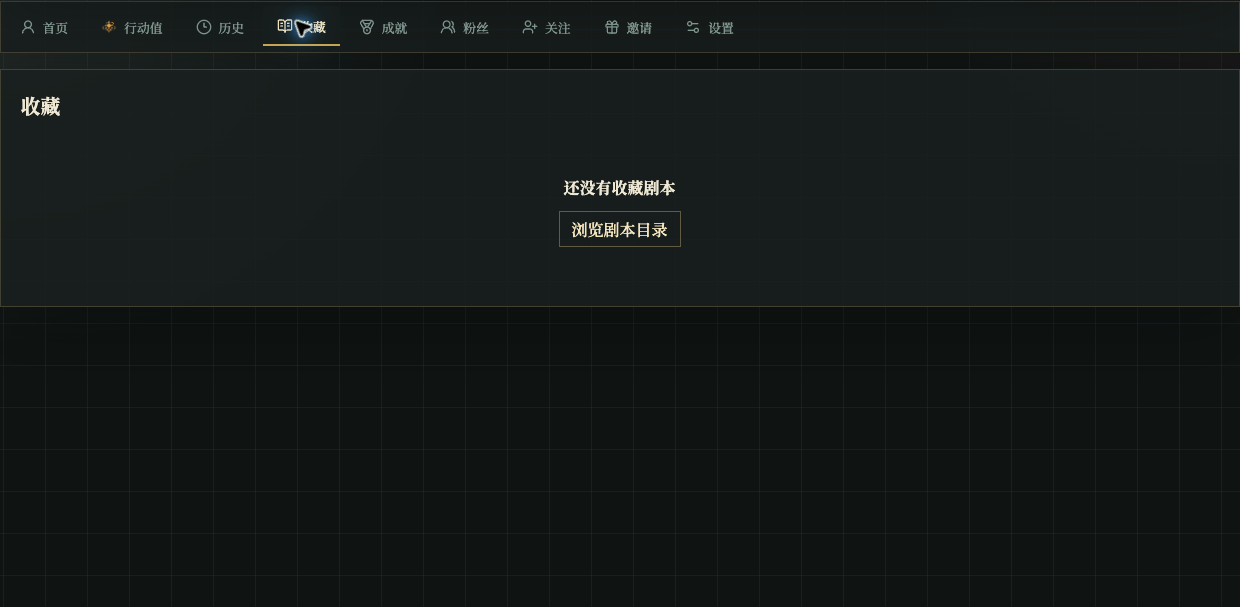 如果收藏页显示“还没有收藏剧本”,先回到剧本目录收藏一个作品,再返回个人中心查看。喜欢数量会随玩家操作变化,收藏列表则只显示你保存过的作品。