
What this page is for
After entering the creator area, the top of the page shows the script list and its current count. This is the entry point for everything: create a draft, search scripts, filter by status, continue an edit, and open published data.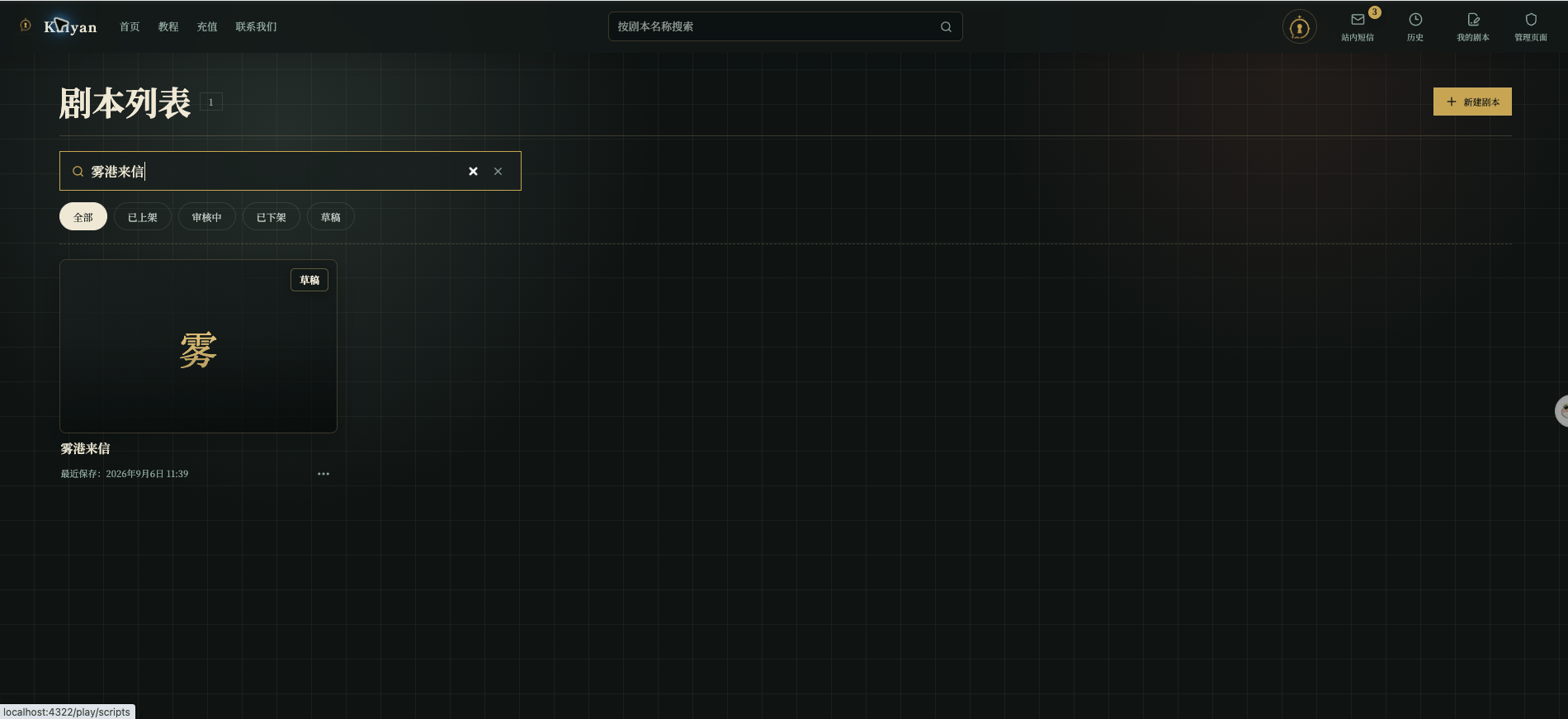
Chinese UI screenshot: script list and draft card
What each card shows
Each card usually contains:- Cover and title: used to identify the work; without a cover, the card shows the first character of the title;
- Status: Draft, In Review, Published, or Unpublished;
- Series or chapter information: series works show the series and chapter;
- Version label: published works show the current version;
- Time: drafts show the last save time, published works show the publish time, and works in review show the submission time;
- More actions: a draft can be edited or deleted; a work in review can open its draft; a published work can start a new draft from an existing version.
Filter and search
Status filters do not modify the work; they only change what the list shows:
Search can use the script title or series name. If no card appears, clear both the search text and the status filter before assuming the script is gone.
Published data
Selecting a published card opens a data panel with:- Play count;
- Average turns per play;
- Favorites;
- Likes;
- Completions.
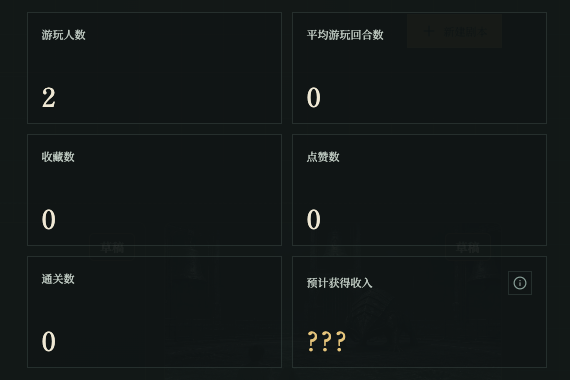
Chinese UI screenshot: published script metrics
Revenue share: now and later
The management page currently has no usable revenue settlement data. If the platform formally opens creator revenue later, this page can grow to explain:- Which works or play activity produce revenue;
- The currently shareable and already settled amounts;
- The settlement cycle, status, and detail;
- The withdrawal methods allowed by platform rules.
How management and the editor work together
- Enter the editor from a Draft card to fill fields and connections;
- After Save in the editor, the card keeps the last save time;
- After a passing test, Submit for Review from the editor changes the status to In Review;
- If a submission is returned, fix the draft and resubmit;
- After approval and publication, check the current version and its data from the management page.