
1. Find a script
Browse the home page or use the topic filters. You can also search by script title and select a card.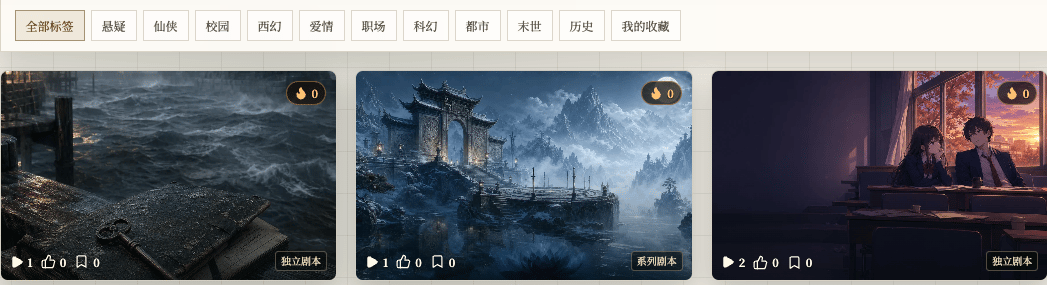
Chinese UI screenshot: script card in the catalog
2. Read the details
The details page shows the title, tags, summary, creator, interaction buttons, and two ways to enter:- Start New Game begins from the beginning.
- Load Save continues an existing save.
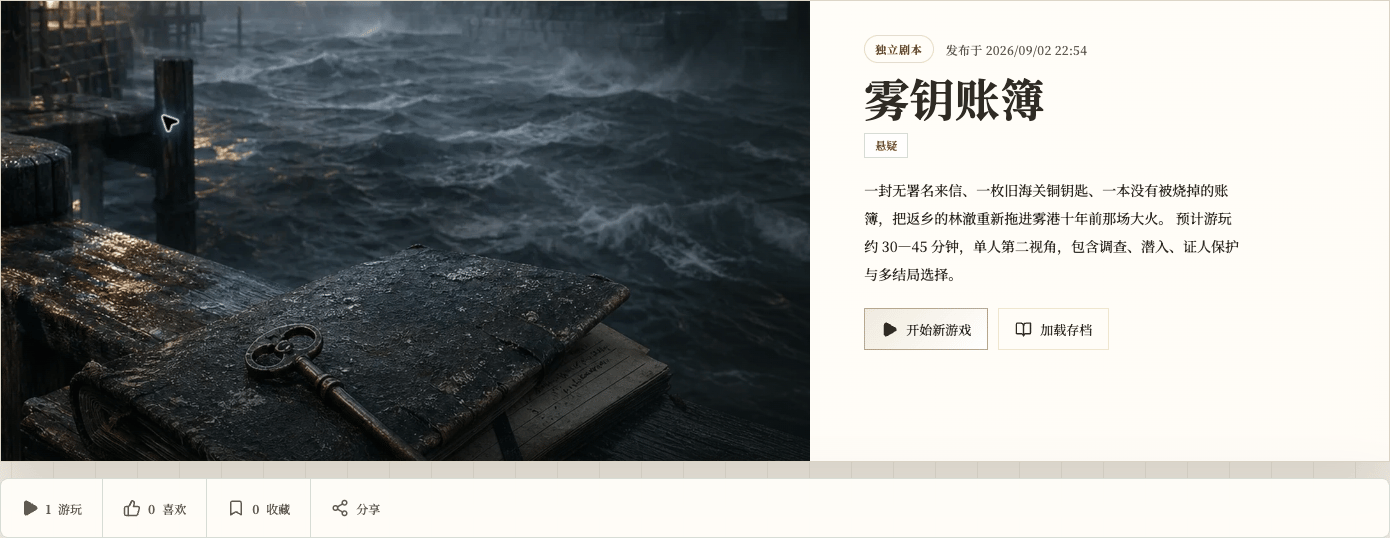
Chinese UI screenshot: script details
3. Read the story background
After you select Start New Game, the app shows the story background first.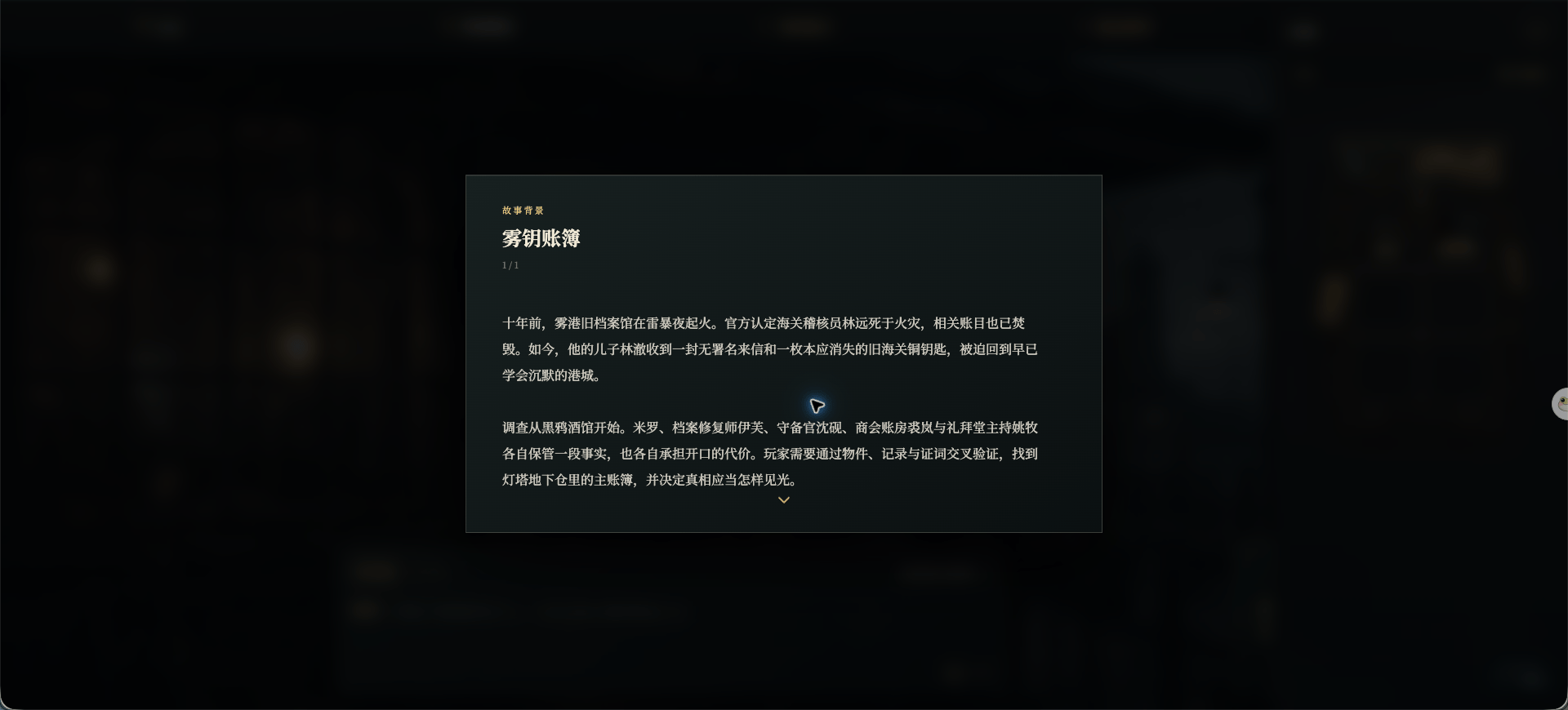
Chinese UI screenshot: story background before the first turn
4. Enter the game
After the opening, the interaction page lets you write what your character says or does. You can also open Recommended Actions.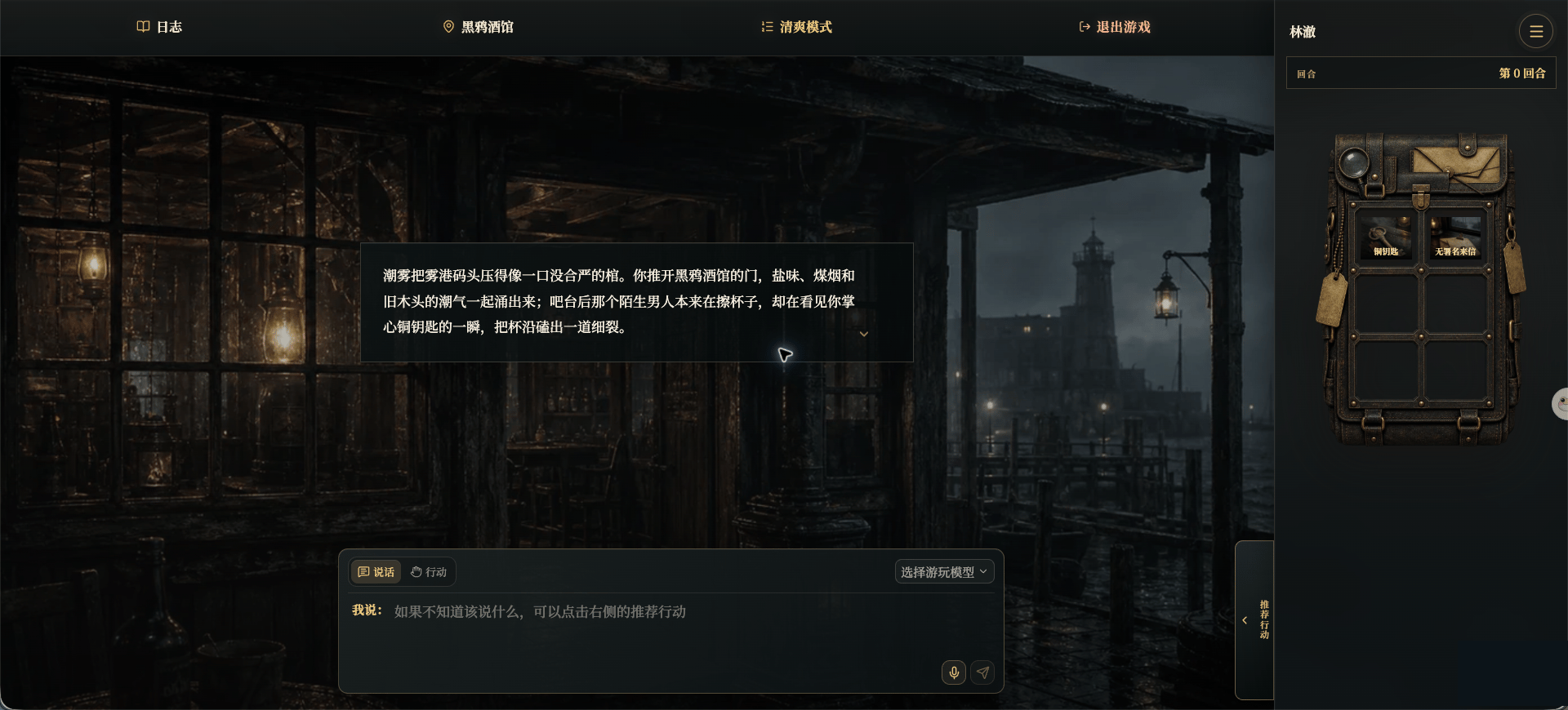
Chinese UI screenshot: game page
- The top bar opens logs, location, display mode, and exit options.
- The center shows the current story.
- The bottom input area sends speech or an action.
- The right side shows the current character, turn, inventory, and menu.