
What it controls
An ending is the story’s landing point. It can be reached through the main route or checked globally when its facts become true. The example ending is Reply Under the Lighthouse: the player confirms the sender’s identity and places a reply in the old mailbox.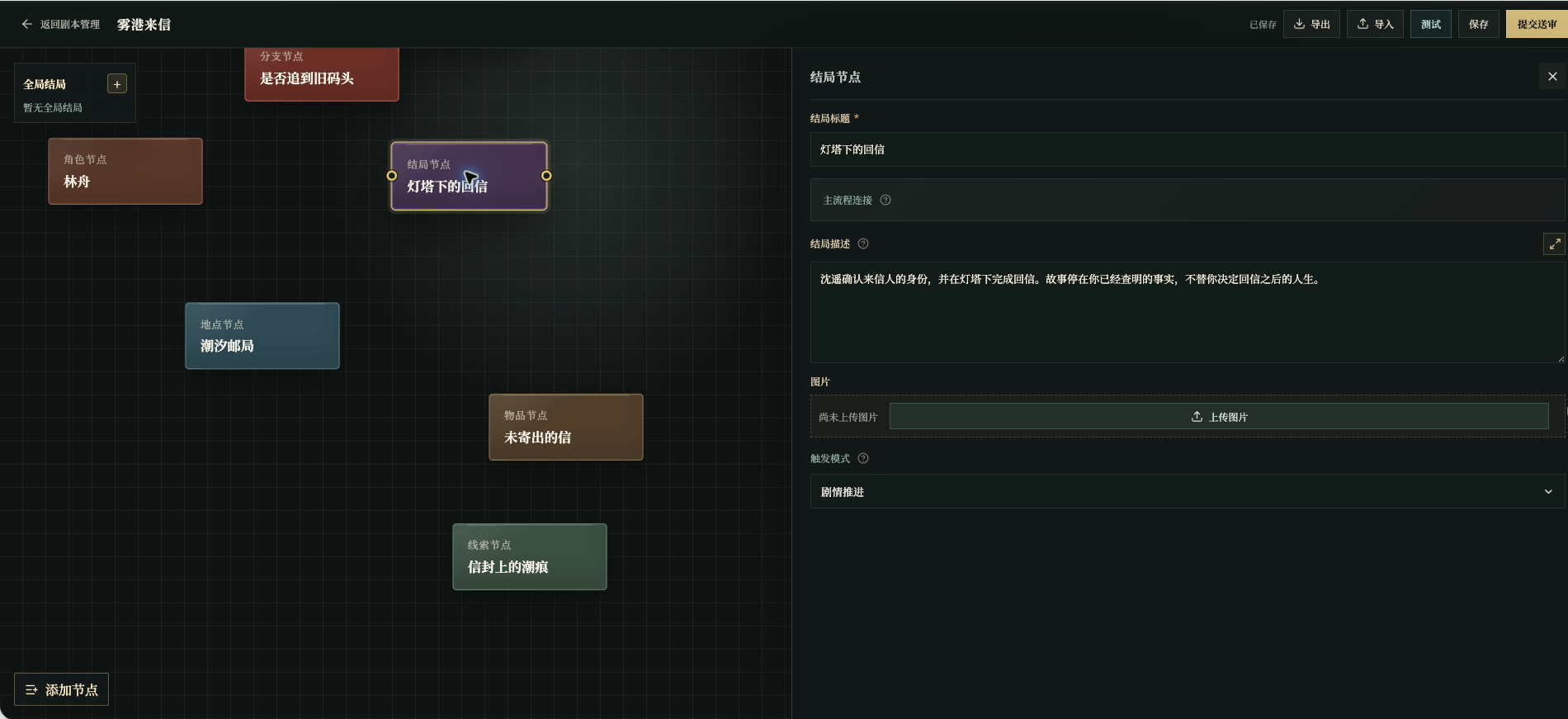
Chinese UI screenshot: ending fields
Player-facing content
Ending image specs and production
The ending image appears on the ending card.- Size and scaling: horizontal
1280×720. The editor scales to that size on upload; when the ratio does not match, it fits the whole image inside and pads the rest with transparency, so the complete frame is kept—do not push the subject to the edges. - Format and size:
PNG,JPEG, orWebP, under4MB, with a source close to1280×720. - Frame: show the state and mood of this ending, and do not reveal other endings you have not confirmed.
- Consistency: prefer the visual language of the act this ending follows, and stay continuous with the script’s medium and art style.
- Exclusions: text, watermarks, logos, and extra subjects.
- Prompt: state which ending this is, the act and confirmed emotional landing point it follows, and the
1280×720complete frame with safe margins.
Trigger settings
Use Story Progression when the ending is connected from the final act. Use a global check only when the ending can become true from several places. Do not end a story with “the player did well”; name the facts that can be checked.
Story progression
With Story progression, the ending is reached through a connection on the canvas, usually from the last act or a branch. Write the observable closing facts in the previous act’s closure basis first, then connect that act into the ending.Global check
With Global check, the ending can be checked at any act once its condition holds. Only global endings need a trigger condition and a global priority. When several conditions can be true at once, give the more urgent and specific ending the smaller number. A global ending still needs clear prior facts. Do not write “the story ends when the player does well”; write a condition that can be checked against story state, clues, intelligence, or player actions.Ending versus branch
- A branch moves the story to another route where the player still has actions;
- An ending closes the story and shows the ending screen;
- To move the player to another location or change their goal, keep using acts, branches, or events instead of creating an ending early;
- When several endings depend on the same fact, write the fact clearly first, then define each ending separately.
Required field: ending title; choosing the global check trigger mode also requires a trigger condition. See Required Fields and Blockers.