
What it controls
An item needs more than a name. The player should know what it looks like, why it matters, and what meaningful interaction it supports. In Letter from Mist Harbor, the item is Undelivered Letter. Its salt mark points toward a clue without naming the sender.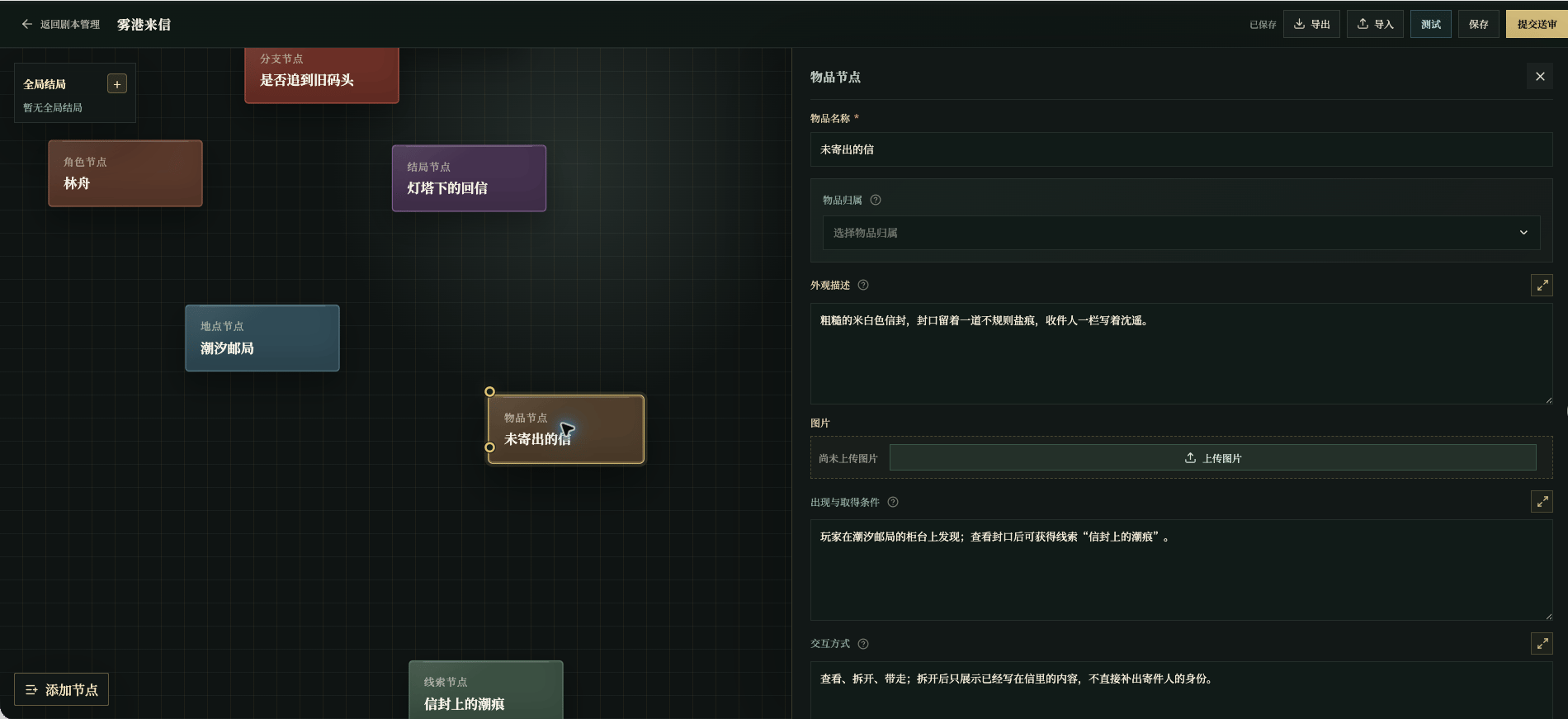
Chinese UI screenshot: item fields
Basic fields
Item image specs and production
An item image appears in the inventory tile and item details.- Size and scaling: square
512×512. The editor scales to that size on upload; when the ratio does not match, it fits the whole image inside and pads the rest with transparency. - Frame: a complete, clear subject away from the edges, and not a tiny subject filling the frame with empty space.
- Background: transparency is not required. Prefer a transparent background when the item appears on its own in the inventory or UI; for a scene-based item image, use a full background consistent with the act.
- Format and size:
PNG,JPEG, orWebP, under4MB, with a source close to512×512. - Consistency: keep medium, material, and brushwork consistent across items in the script; a scene-based image follows the act’s light and environment without changing confirmed identifying features.
- Prompt: state which item this is, a complete square subject, and the confirmed shape and material, and exclude text, watermarks, and extra subjects.
Write acquisition and interaction
Acquisition
Describe where, through which action, and with what result. For example:
The player inspects the register desk at the post office, finds the undelivered letter, and chooses to take it.
Do not write “it appears when the story needs it.” The player must be able to obtain the item through observation, conversation, or action.
Interactions
Give the item one or two meaningful uses first:- Inspect: reveals a new detail;
- Compare: connects it to a location or clue;
- Hand over: changes a character’s attitude or a route;
- Use: makes a condition true, but does not finish the story by itself.
Required field: item name. Ownership is a relation, not text: a character holds the item or it sits in a scene, never both. An item with neither never enters any act and blocks testing and review. See Required Fields and Blockers.