
What it controls
The Script Entry is the player’s first contact with a work and the point that leads into the first act. Keep player-facing copy separate from the background rules that guide the whole story. This guide uses Letter from Mist Harbor: Shen Yao receives an undelivered letter at the Tidebound Post Office.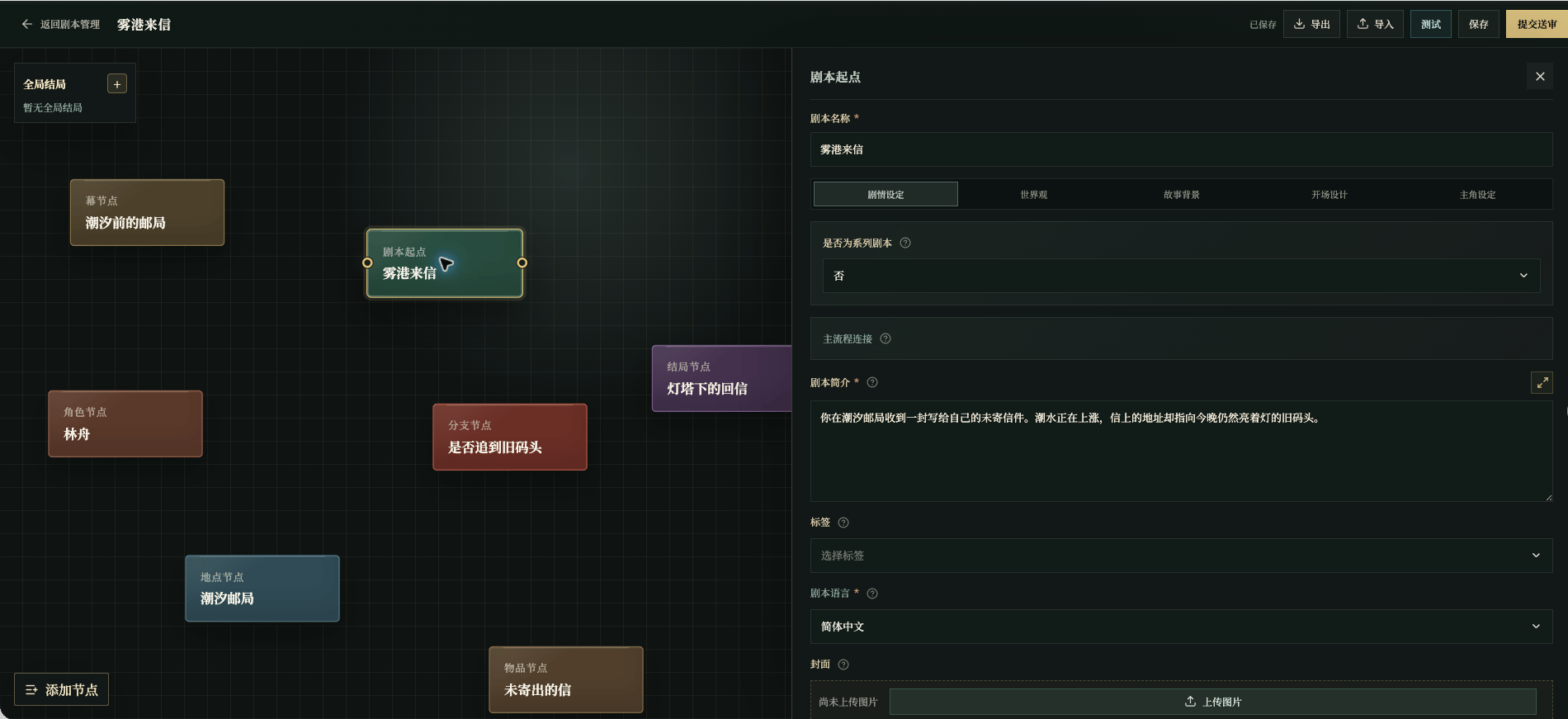
Chinese UI screenshot: script entry fields
Story settings
Tags are limited to the platform genres: Mystery, Xianxia, Campus, Fantasy, Romance, Workplace, Science fiction, Urban, Apocalypse, and Historical, with at most two selected. A term outside this list fails the test and review checks and blocks the workflow.
The required fields on this page are title, summary, language, story background, protagonist, and story control. Missing values block testing and review; see Required Fields and Blockers for the complete list.
Cover specs and production
The cover appears in the catalog, details page, and management card; without one, the card shows the first character of the title.- Size and scaling: the target is horizontal
1280×720. The editor scales to that size on upload; when the ratio does not match, it enlarges to fill and trims the overflow, so keep the subject near the center and important content away from the edges. - Format and size:
PNG,JPEG, orWebP, under4MB. Prepare a source close to1280×720; a small image is enlarged and looks soft. - Frame: a complete horizontal key visual that summarizes the work. Do not include characters, endings, or plot facts you have not confirmed.
- Exclusions: text, watermarks, logos, and extra subjects carry through to the player page.
- Prompt: state that this is a script cover, the
1280×720horizontal full frame, a centered subject, and the confirmed art style, and exclude text, watermarks, and accidental cropping.
Write the summary
Use: who the player is → where they are → what problem is present → what they can look forward to.You receive an undelivered letter at the Tidebound Post Office. The tide is rising, and its address points to the old pier that is still lit tonight. Find out who left it before the water reaches its highest mark.
Write the overview
The overview is six short parts, each answering one question:- Work identity: what topic and scale is this story?
- Opening situation: where does the player first appear, and what is already true?
- Central question: what should the work really make the player face?
- Tone: what are the pacing, distance, mood, and language like?
- Narrative arc: how do the facts change from the first unknown to the ending?
- Landing point: what does the ending deliver, and what should not be extended?
Write the story control
Story control has four parts:- Player input handling: which inputs count as something the player clearly said or did? Do not write lines, promises, or key actions the player did not choose.
- Performance boundaries: what are the limits of people, places, items, time, and danger? Which facts must not be invented?
- Progression and waiting: what must be finished before the next stage, and which key actions must the player take?
- Freedom and closure: which routes can vary, and which facts close the story into an ending?
Write the worldview
Worldview is maintained as entries, each stating one shared fact that most relevant characters know, titled with the in-world name. It defines the rules, history, common knowledge, and boundaries the whole script can always rely on—when a phenomenon appears, who runs an institution, what customs everyone follows.- Put shared facts here:
The old pier lamp lights only when someone is landing; - Keep private information and conditional conclusions out; those belong to clues and intelligence;
- Worldview is not story background: background is the narrative the player reads at the start, while worldview is knowledge that stays true across the work;
- Worldview also does not replace story control, which covers response handling, performance boundaries, and closure.
Story background
Background is shown as reading pages after Start New Game. Keep each page to one or two complete paragraphs and move from setting, to people or objects, to the immediate problem.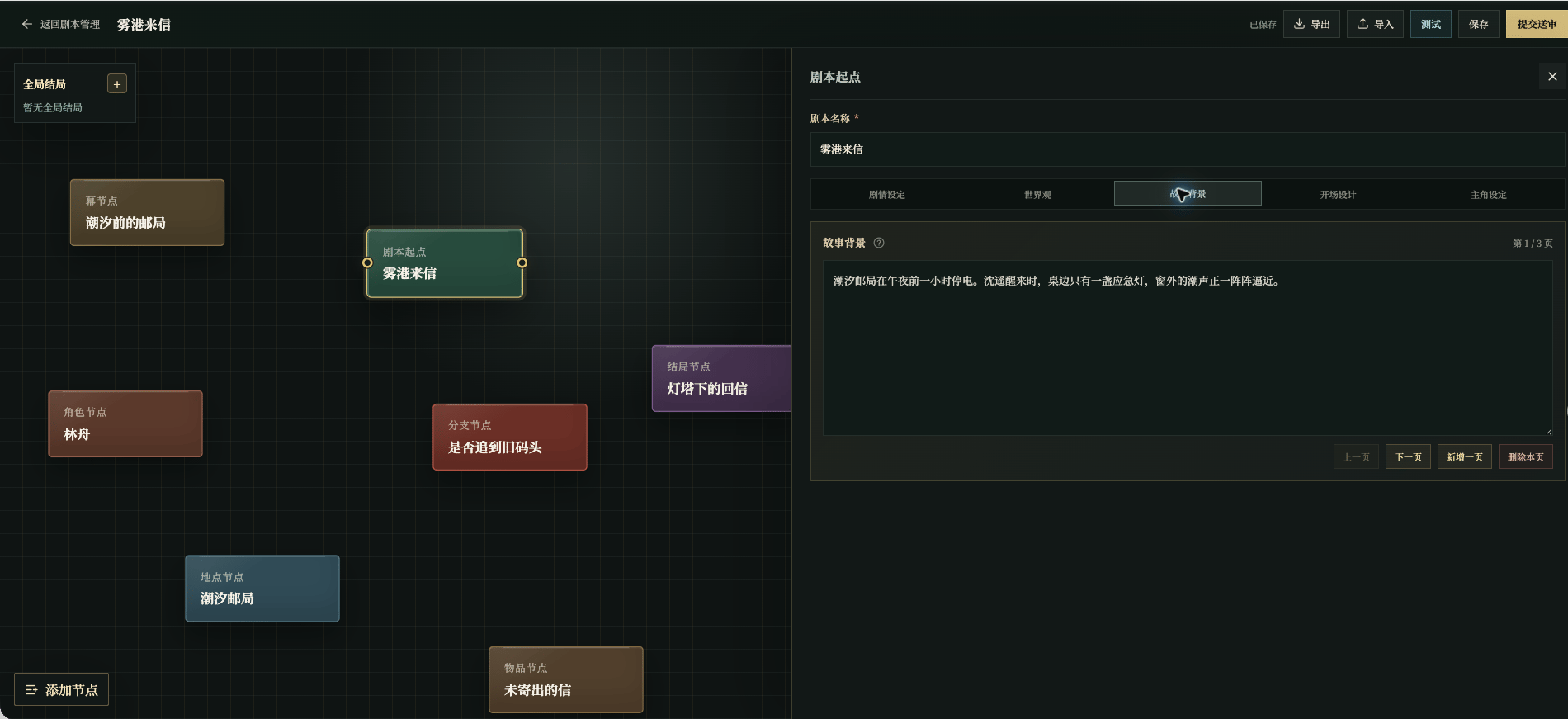
Chinese UI screenshot: background editor
Opening design
Opening text plays after the background. Recommended actions appear once at the start and can be selected as the player’s input.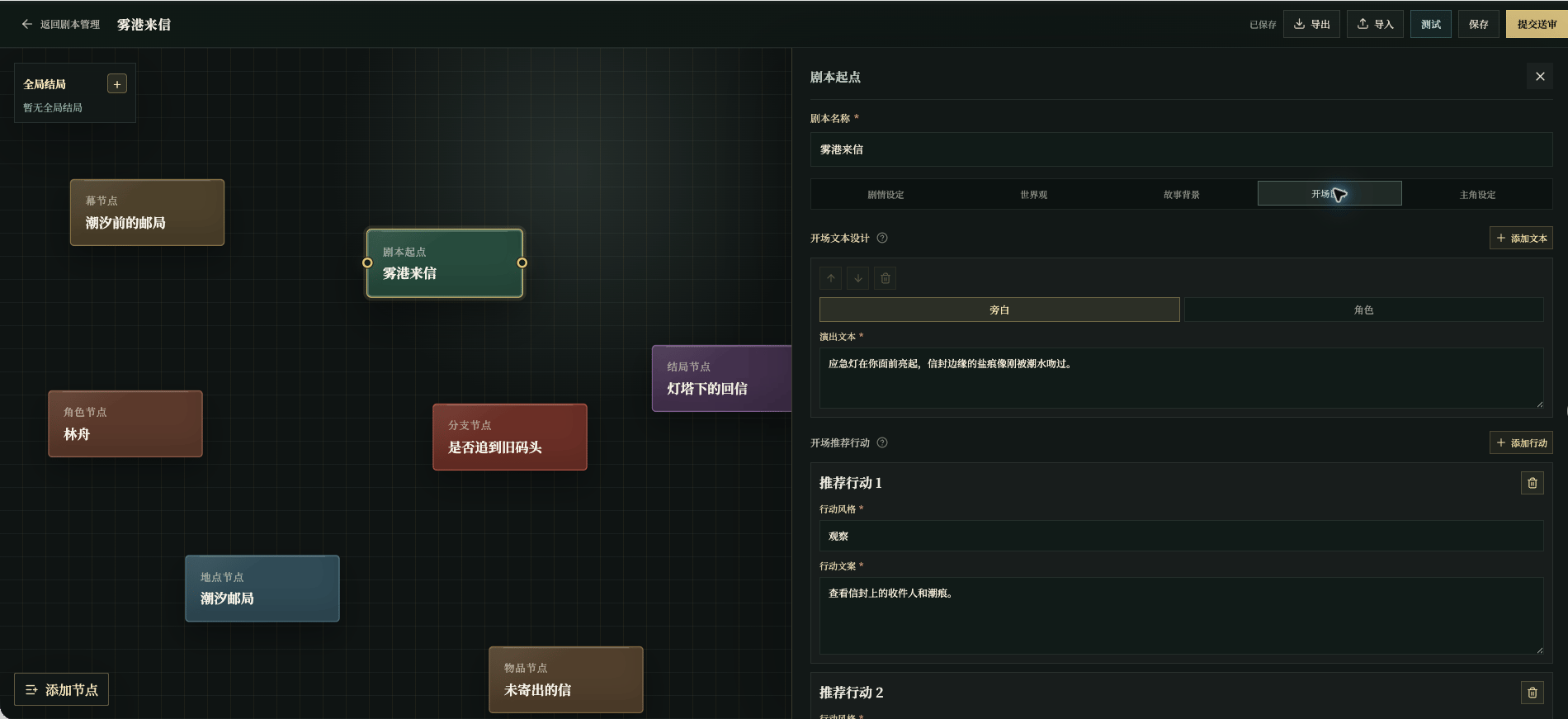
Chinese UI screenshot: opening text and recommendations
Do not write “you decide to investigate” in fixed opening text. Leave the first decision to the player.
Split the opening text
Each entry carries one action or one piece of information:- Narration: place, action, sound, and observable facts;
- Character: a line the character says at this moment;
- Content: the text actually shown to the player.
Write recommended actions
Action style is the short button label; action copy is the complete action the player can send. Recommended actions should show what is possible now without deciding the story for the player. Selecting one sends it as this turn’s input, so write it as a complete, executable action.Protagonist
Choose a character truly controlled by the player. For this example, choose Shen Yao and either keep that name as the script’s name or let the player enter one with a prompt such as “How should others address you?” Common settings:- Protagonist: pick a character truly controlled by the player, not an observer or a backstage figure;
- Narrative perspective: keep one perspective across the work, for example addressing the player as “you”;
- Name mode: use the script’s fixed name when the work depends on a fixed identity; let the player enter a name when immersion matters, and write a clear prompt.