
What it controls
A location describes where the story happens. The same place can change across acts by using a separate configuration for each act. The example location is Tidebound Post Office: a dark lobby in the first act and a doorway with rising water later.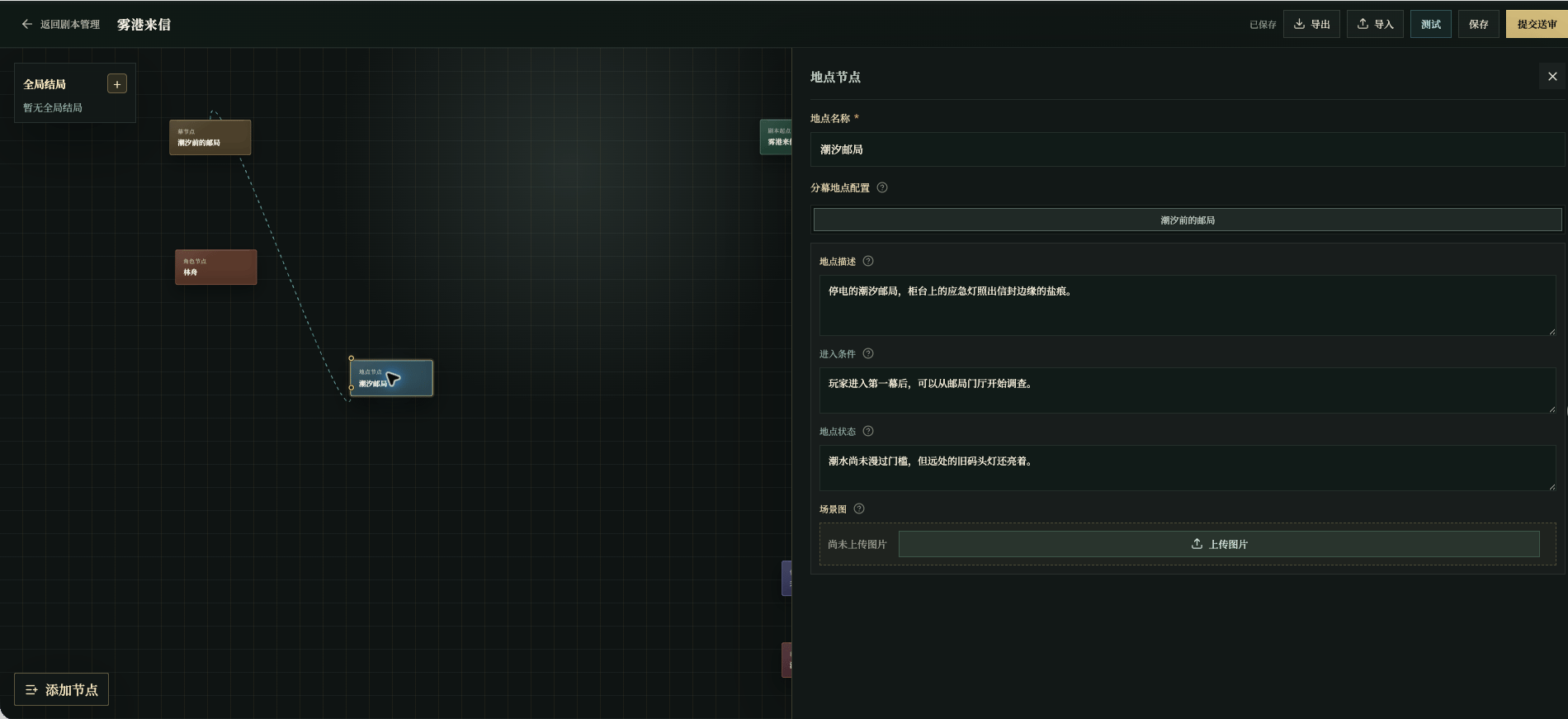
Chinese UI screenshot: location fields
Location name
Avoid names such as “Scene 1.” Players use the location name to understand where they are.
Per-act configuration
If the place changes later, keep the same name and update the act configuration. For example: first
only the emergency lamp is on; later water crosses the threshold and wet footprints lead to the back door.
The same location across acts
Do not create several similar locations when a place changes. Keep the same location name and rewrite its configuration per act:- Act one:
The post office has lost power; only the emergency lamp is on beside the register desk.; - Act two:
Water crosses the threshold, and a fresh trail of wet footprints leads to the back door.
Scene image specs and production
A scene image is one location in one act, shown as the main scene background and in location details.- Size and scaling: horizontal
1280×720. The editor scales to that size on upload; when the ratio does not match, it enlarges to fill and trims the overflow, so keep the subject away from the edges. - Format and size:
PNG,JPEG, orWebP, under4MB, with a source close to1280×720. - Frame: the complete scene for this act, showing the location’s environment, light, weather, time, and state. Do not substitute a generic image of the place.
- Cross-act consistency: a place may change light, moisture, and state across acts, but keep its recognizable structure so the player knows it is the same place.
- Exclusions: text, watermarks, logos, and extra subjects.
- Prompt: state which location and act this is, the confirmed light and environment for that act, and the
1280×720complete scene framing.
Required field: location name. Missing values block testing and review; see Required Fields and Blockers.